
Before Applying
Make sure all program information is up-to-date, including major(s) as well as any minors or concentrations you may be pursuing. For more information, and the form needed to officially change your program on record, please visit the following:
How to Apply
In order to graduate from Georgia Tech, a student must first submit an application for graduation.
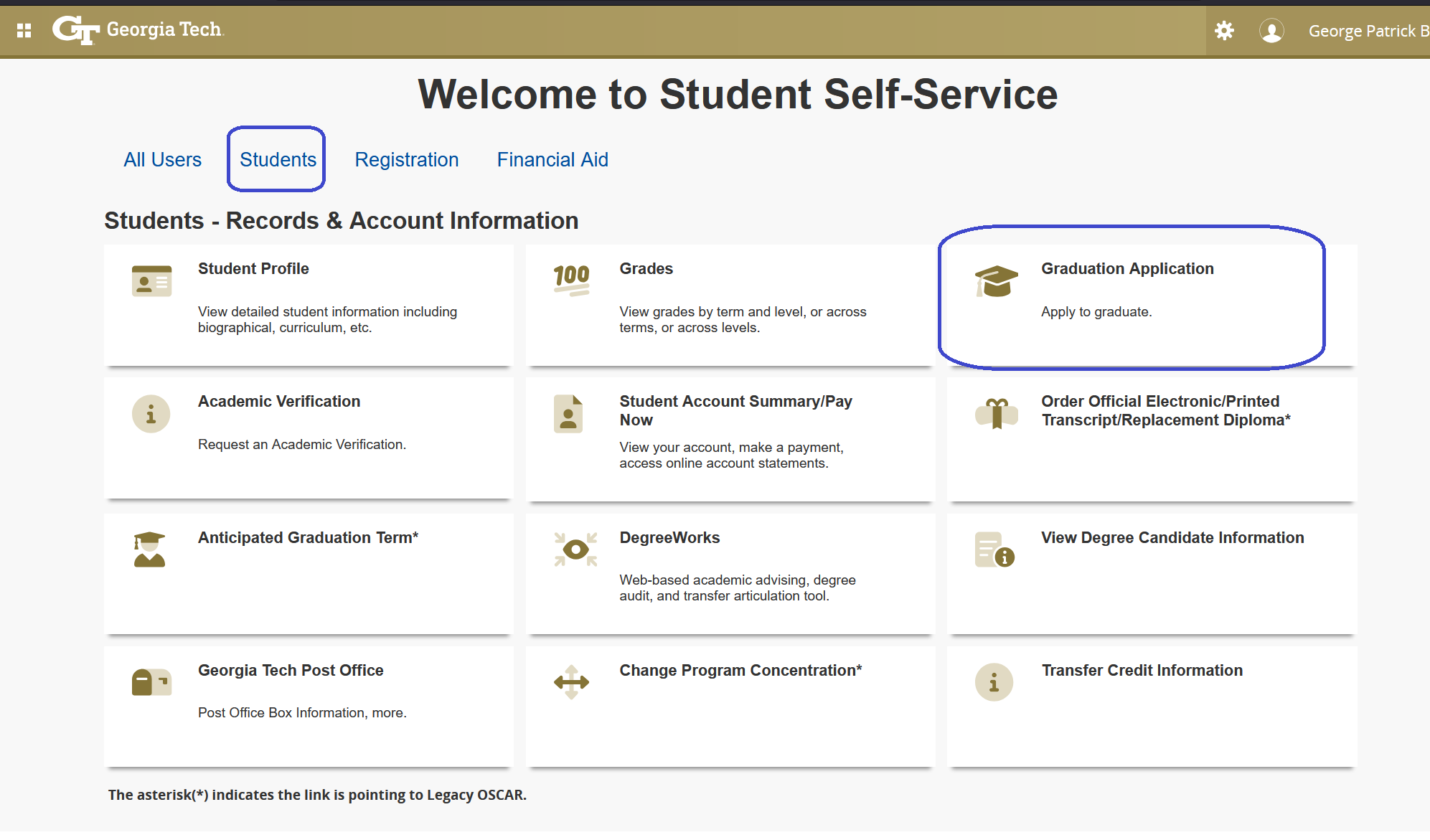
- Log into BuzzPort
- Select Registration (OSCAR)
- Select Students tab
- Select Graduation Application
- Curriculum Selection, this is not necessarily your graduation term. Select the current term or the most recent term in which you registered for classes from the drop down menu.
- Select your program
- Select Graduation Date
- Select Diploma Name (You can edit your middle and suffix)
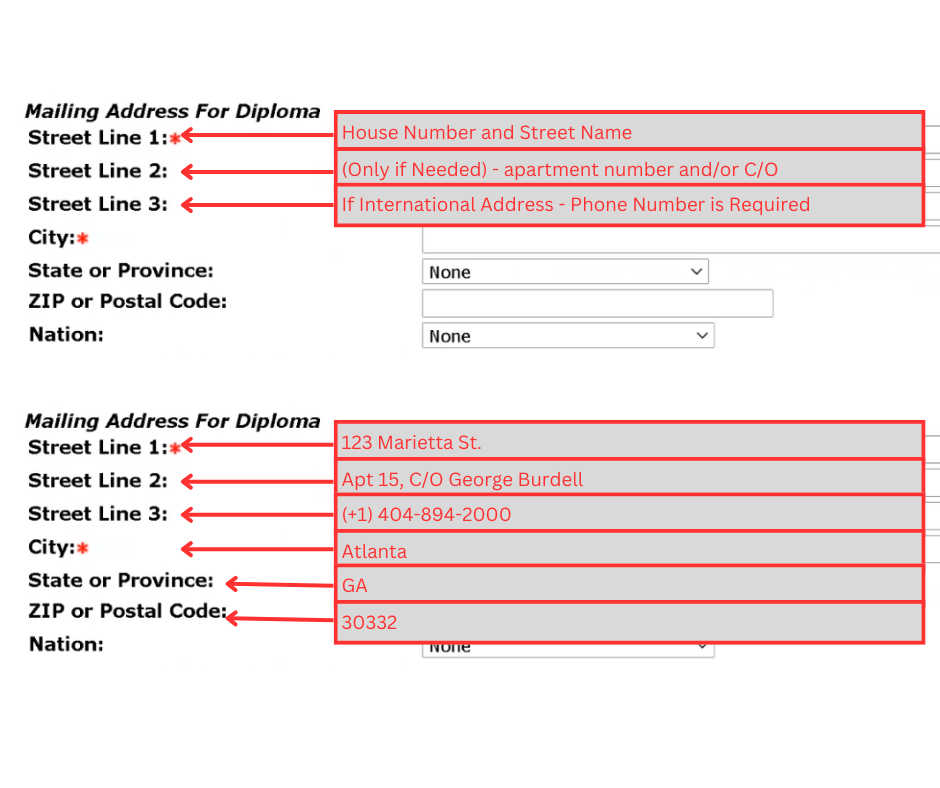
Select Diploma mailing address. If your diploma is being mailed to an international address, an international phone number is required in Line 3.
- Review Information & Submit
- Students will not receive an email confirmation the application was submitted. Instead, to verify the graduation application(s), review Degree Candidate Information in Oscar or in Degree Works with the graduation information and status.
After Applying
Academic departments will conduct the first degree audit on your record shortly after the graduation term starts. The Registrar's Office Degree Certification team will conduct the Registrar's Office audit on your application, and update your graduation status and add notes. Below is a breakdown of the timing of the two audits:
- Advisor Audit- begins 1-2 weeks after Phase II closes, and completed mid-semester
- Registrar's Office Audit - is after the Advisor audit completed. Students will be notified when the audit is completed via GT email.
- Final Audit - Tuesday following Commencement
- Degrees Awarded - Thursday following Commencement
To view your degree status, login to DegreeWorks. Near the top of your audit, under a section titled "Student View," you will see a field "Graduation Status." The text that appears in that field is your current degree status.
Please remember that your status will change throughout the semester, depending on updates, grade and registration changes, etc. Always check your status periodically, and connect with your advisor if there are any questions. Additionally, it is wise to look at the bottom of your audit, in case there are any notes placed on by your advisor or Degree Certification.